MSI Laptop Tweaks
Some specific tips for MSI Laptops
My laptop is MSI GS65 2019
- i7-9750h
- 1660ti
- 16GB 2666 Mhz
These are some of my pains and tricks I have with specifically this laptop/MSI in general
–> Killer Networking
For people with Killer Networking, quite a lot of unnecessary services are enabled and running. Disable these on the Services app
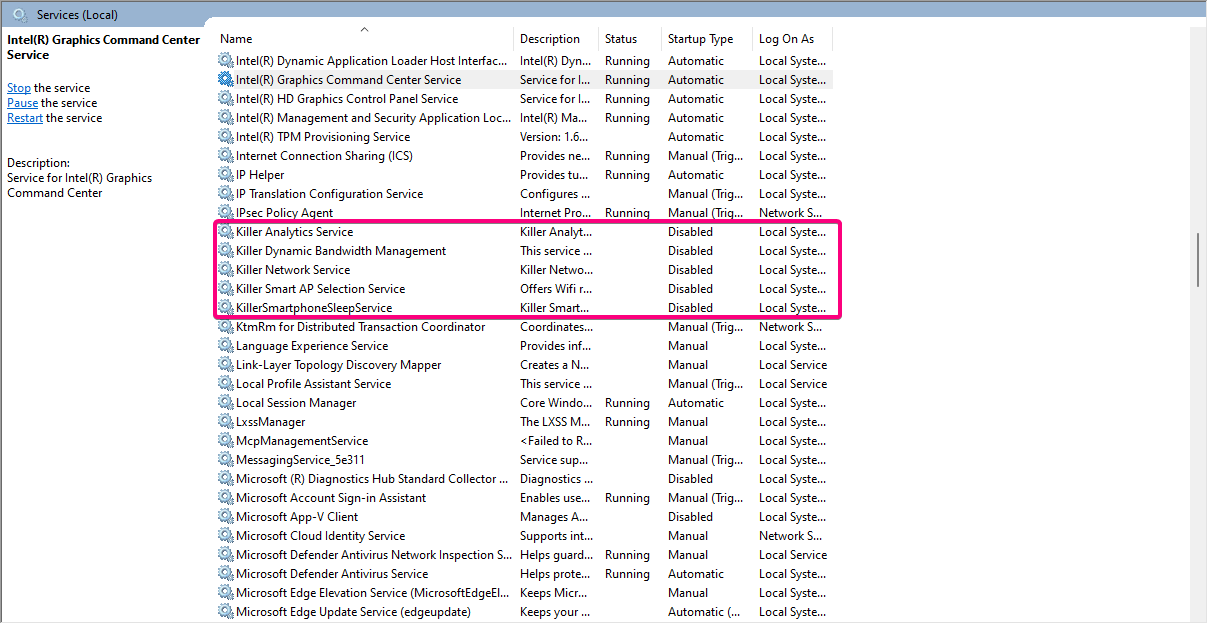
Also
xTendSoftAPService
xTendUtilityService
1
If you have any problems, enable the Killer Networking Service, rest are bloatware.
–> Nahimic
For people having low microphone volume issues, this might be highly related to the Nahimic Bloatware bundled with Realtek drivers in Windows update
To stop this we just disable driver updates from Windows updates itself, it does mean you will have to update some drivers yourself, but I only update Intel/Nvidia drivers, so it’s not a huge effort.
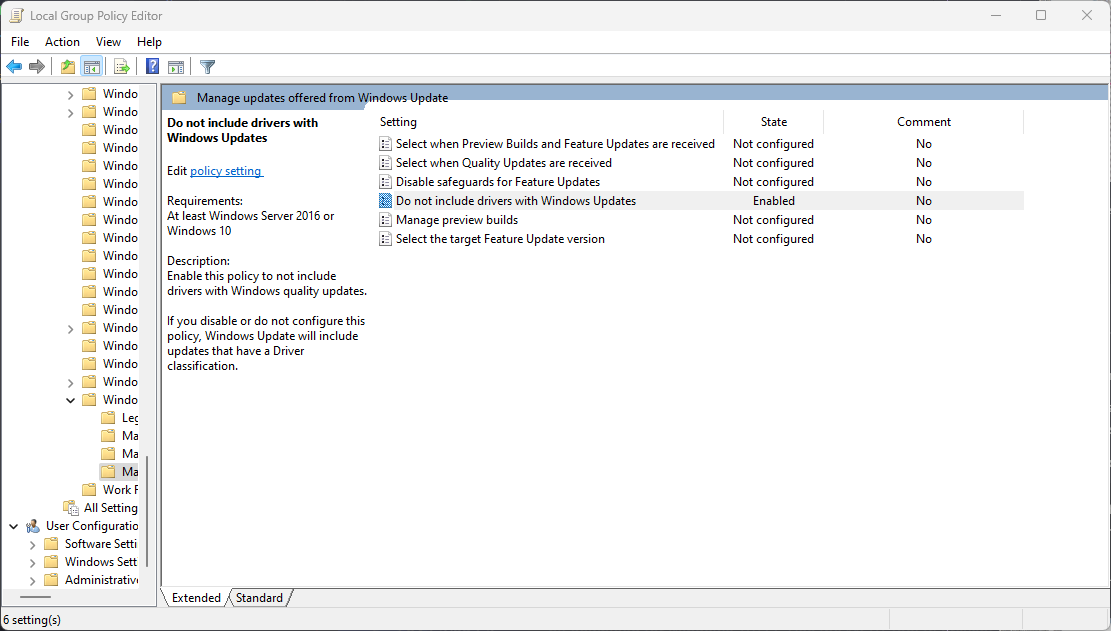
Using Gpedit.msc :
1
2
3
Computer Configuration -> Administrative Templates -> Windows Components -> Windows Update -> Manage Updates offered from Windows Update

“Do not include drivers with Windows Updates” -> Click Enabled -> Apply -> OK
Using Regedit :
1
2
3
4
5
6
7
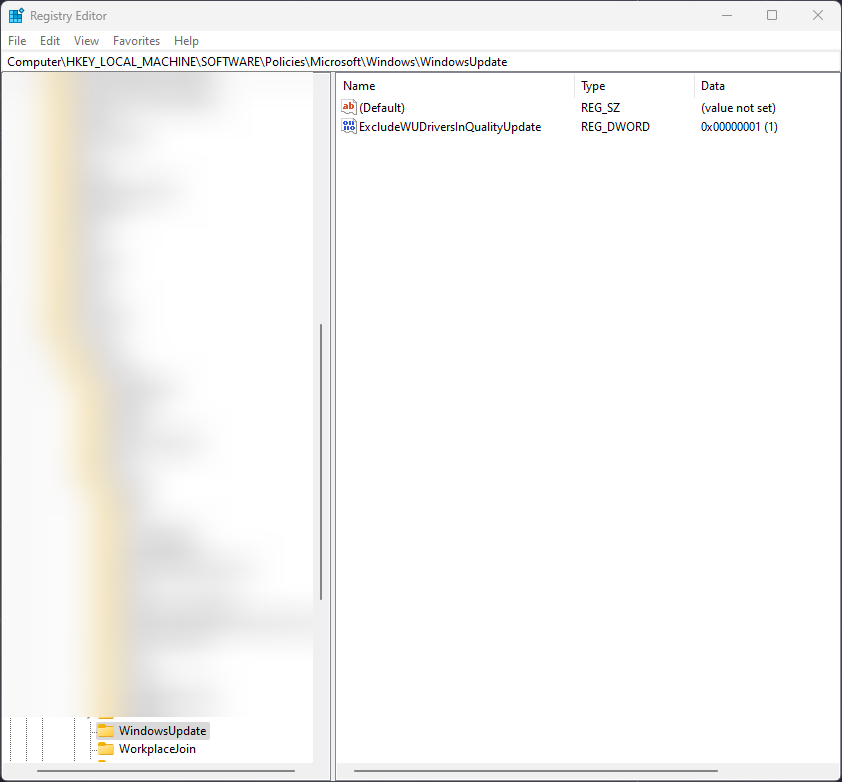
Go to HKEY_LOCAL_MACHINE\SOFTWARE\Policies\Microsoft\Windows

Right-click Windows and choose New -> Key. Name the new key WindowsUpdate

Right-click WindowsUpdate and click New -> DWORD (32-bit) Value.

Name the new value as ExcludeWUDriversInQualityUpdate. Double-click it and set its value to 1
Now you can install generic realtek drivers from the official source
–> Battery Limiter without Dragon Center
1
2
3
4
5
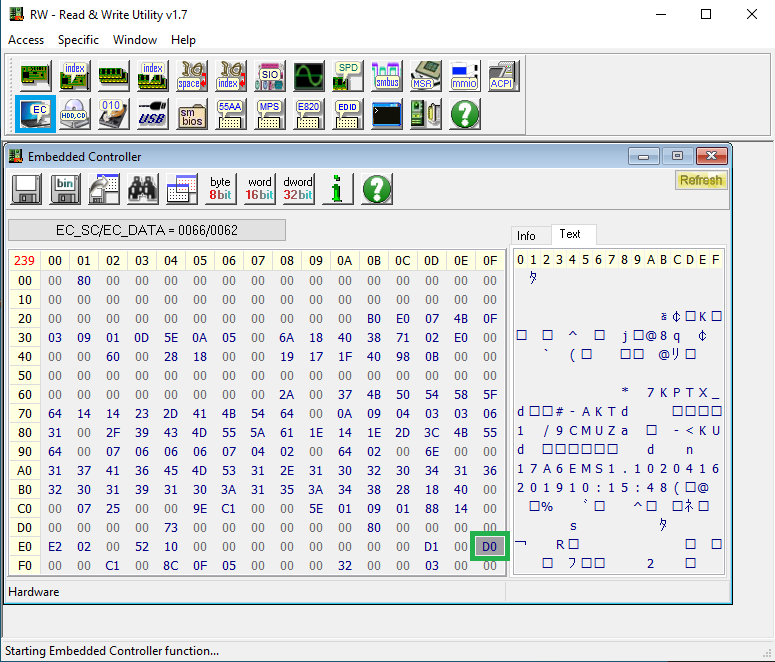
If you have a similar aversion to using Dragon Center but also want to limit your battery charging limit
Change the highlighted value to the following for the percentages limit
 BC -  60%
 D0 -  80%
 E4 -  100%
This post is licensed under CC BY 4.0 by the author.